Midjourney v6 has fundamentally redefined the landscape of AI-generated art, specifically around physical textures, fine-grain detailing, and natural language prompts. When targeting photorealism, prompt engineering is no longer about throwing buzzwords like "photorealistic" or "4K" at the model. Instead, it is about establishing physical camera parameters, lighting conditions, and structural control.
To begin, understanding the --style raw parameter is essential. This parameter reduces Midjourney's default aesthetic bias, giving you greater control over contrast, color tones, and textures. When paired with the --stylize (or --s) parameter, you can fine-tune the intensity of these stylistic properties.
#Camera and Lighting Specification
In professional photography, the camera lens and lighting shape the emotional tone of the image. For portraiture, specifying lenses like the 85mm f/1.4 or 50mm f/1.2 signals to the generator to compute a shallow depth of field (bokeh).
Here is the exact parameter layout we used to generate our showcase output:
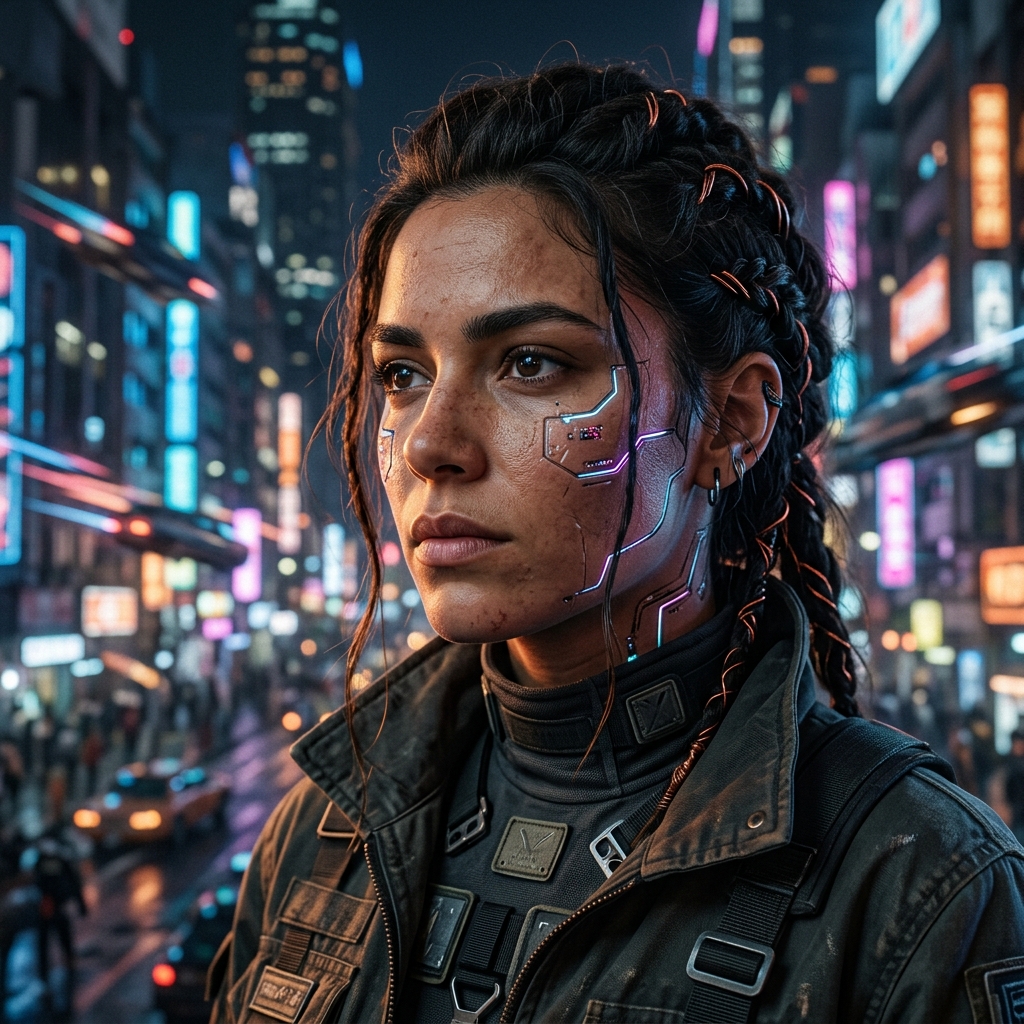
Prompt example
Midjourney v6
A close-up photorealistic portrait of a female cyberpunk engineer with subtle neon glowing cybernetic implants on her cheek, looking into the distance. Cyberpunk city lights in the background blurred out. Highly detailed, 8k resolution, cinematic lighting.
Aspect
1:1
Stylize
250
Seed
78201489
Notice the skin texture and volumetric lighting. This is achieved by utilizing indirect lighting terminology like "rim lighting", "volumetric light", and "neon bounce light" in the text prompt instead of generic expressions.
#Advanced Aspect Ratio Controls
For editorial or wallpaper layouts, controlling the aspect ratio (--ar) is crucial. Next.js containers can dynamically scale these images. Here are standard configurations for Midjourney aspect ratios:
// Parameter cheat sheet for Midjourney CLI
const midjourneyParams = {
  aspectRatio: "--ar 16:9", // Cinematic wide
  stylize: "--s 250",       // Medium stylization range
  styleRaw: "--style raw",  // Reduced aesthetic override
  variety: "--v 6.0"        // Model engine selection
};
console.log(`Executing prompt with parameters: ${Object.values(midjourneyParams).join(" ")}`);
By keeping these parameters structured, you can ensure consistency across multiple image generation runs.
Written by
Neutral Overdrive Team
Editorial team
Maintains tested guides, comparison notes, templates, and tools for AI builders and operators.
Contact editor